
Drop, choose format, download.
Convert Your Files Instantly
 Unlimited and fast conversion
 Word, Excel, PDF, images and more
 Security and privacy guaranteed
How It Works
Upload Your File
Simply drag and drop or select your document - PDF, Word, Excel, images, and more.
Edit or Choose Action
Edit your document directly, or choose to convert, merge, split, or perform any other operation.
Download Result
Get your processed file instantly. All processing is secure and private.
All the Tools You Need to Edit PDFs
From file conversion to signing and organising pages, everything is here.


What you can count on
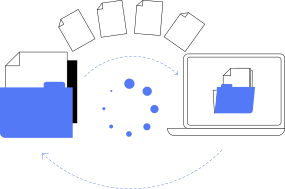
Conversions that keep the layout
Convert between PDF, Word, Excel, PowerPoint and images in a few clicks. Headings, tables, images and fonts are carried over as faithfully as the target format allows.

Files handled with care
Your files travel over an encrypted connection, and you can delete the files saved in your account whenever you want.
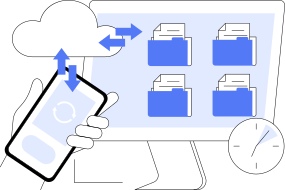
Every tool in one subscription
Convert, edit, sign, organise pages, compress, translate and convert audio: every tool is included, with no limit on the number of files.
Simple Pricing
0.50€ for 48H
then 39.90€/month
- Complete set of document conversion tools
- Unlimited processing and usage
- Advanced security and privacy protection
- 48-hour trial for just 0.50€
Try our service for 48 hours for just 0.50€. Then a 39.90€/month subscription for unlimited document processing if you continue.
Questions and answers
The questions we are asked most often. The help centre goes into more detail.
Can a PDF be converted for free?
Yes — elsewhere, and we would rather explain exactly where the limits are. The market's free converters process files one by one, with a size cap, a restricted daily count and sometimes a watermark or a forced sign-up. At ShiftConv, conversion belongs to a paid service: a 48-hour trial for 0.50€, then 39.90€ each month, which you can stop at any time. The right method: a one-off need → free tool; regular use, heavy or confidential files → the 0.50€ trial to judge on your own documents.
What is the simplest method to convert a PDF to Word?
Three steps: drop the PDF in the zone at the top of the page, pick "Word" as the output format, download the .docx. The document keeps its structure — headings, paragraphs, tables, images — and reopens in Word, Google Docs or LibreOffice. If your PDF is a scan, its pages are pictures: proofread the result carefully, especially figures and names.
How do I convert a Word file to PDF without breaking the layout?
Drop your .doc or .docx and get back a PDF matching the print rendering: fonts are embedded, page breaks respected, images in place. That is the recommended method before any official send — application, thesis, contract — because the recipient will see exactly what you see, whatever their device.
Can I convert a PDF to Excel or PowerPoint?
Yes, both ways. PDF to Excel: tables become editable cells again (.xlsx), ready for your calculations — check merged headers, the one point of care. PDF to PowerPoint: every page becomes an editable slide (.pptx). And conversely, your workbooks and decks lock into PDFs for sharing. The method never changes: drop, pick the format, download.
How do I turn a PDF into an image, and photos into a PDF?
PDF to image: pick "Image" as the output format; you get one JPEG per page, usable in an email, a document or a website. Photo to PDF: drop a JPEG or PNG and it becomes a PDF. To send several phone-scanned receipts as one attachment, merge them afterwards: the merge tool accepts images as well as PDFs.
What happens to my file after the conversion?
Your file travels over an encrypted connection and is used for the conversion you asked for. If the converted file weighs 10 MB or less, it is saved in your account, where you can download it again or delete it yourself at any time.
How much does the service cost after the 0.50€ trial?
The trial gives 48 hours of full access for 0.50€ — it is a paid trial, there is no free period. Then the subscription is 39.90€ per month, all included: unlimited conversions, PDF editor, merging, page tools, signature. No per-file cost, no hidden option. Both prices are shown before you confirm the payment.
Does the subscription tie me in?
No: it is monthly with no commitment. You cancel from your account or with the online cancellation form, and you keep access until the end of the period already paid for. Cancelling during the 48-hour trial is possible too: you will then have paid only 0.50€.
What are the file size limits?
30 MB per file, whatever the format — enough to cover nearly every common document. The number of conversions is not limited. Tip for a PDF above the limit: compress it first, or extract its pages into two files, convert each part, then merge the results — these tools are included.
Does the conversion work from a phone?
Yes, the method is identical: open the page in the phone's browser, drop the file from your gallery, downloads or cloud, pick the format, grab the result. Nothing to install. Handy for a document received by e-mail that has to be sent back the same day.
Converting a file: the step-by-step method
Drop your document.
Drag your file into the zone above, or click to select it. PDF, Word, Excel, PowerPoint and images (JPEG, PNG) are accepted, up to 30 MB per file.
Pick the output format.
The list of possible conversions adapts to your file: a PDF offers Word, Excel, PowerPoint or image; an Office document offers PDF. Select it, that is all.
Grab the result.
The conversion runs on our servers and the download starts as soon as it is done — for a typical document, reading this sentence takes longer.
Which format should you pick?
To resume writing
The most requested conversion, and the right method when a frozen text needs fixing or completing. The generated .docx keeps the document structure: headings, paragraphs, images, tables. In practice: drop the PDF, pick "Word", reopen the result in your usual word processor.
To lock and share
The reverse method locks the rendering: a PDF displays the same everywhere, fonts included. Single step: drop the .docx, the PDF comes out print-identical. The right reflex before sending a thesis, a quote or an application file.
To recalculate
A statement, an invoice, an export stuck in PDF: converted to .xlsx, tables become workable cells again. Method: drop, pick "Excel", check the first row (merged headers are the one classic trap).
To present again
Every page becomes an editable slide. Useful to take over a deck whose source file is gone. Same method: drop, pick "PowerPoint", reopen in your presentation software.
To insert and publish
Convert a page to an image to drop it into a document, an email or a website. Method: drop, pick "Image", download — one image per page. The reverse (JPEG or PNG to PDF) works too, handy to turn a photographed receipt into a clean PDF.
Converting without paying: what really exists
Free PDF converters do exist. Here is what they cover, where their limits are, and when a full service is the better fit.
What the market's free converters offer.
One-off conversions, usually capped: one or two files a day, a reduced maximum size, a queue at busy hours, and depending on the service a mandatory sign-up or a watermark on the result. To convert an isolated document now and then, that is a perfectly reasonable choice.
What we offer, and why it is paid.
ShiftConv is a subscription service: access starts with a 48-hour trial billed 0.50€, then 39.90€/month if you continue. In return: unlimited conversions, every format both ways, the PDF editor, merging and page tools, with no ads and no watermark. You can cancel from your account or with the online cancellation form, including during the 48 hours.
The method to choose well.
One single file to convert this year? A free tool will do. Documents every week, heavy files, sensitive data or a clean result required? The 0.50€ trial gives you 48 hours to judge on your own files.
Practical reading
PDF to Word without breaking the layout
Why a converted PDF sometimes comes back with shifted text and broken tables, and what to check before and after the conversion to get a Word file you can really edit.
Read the articleGetting PDF tables into Excel
Retyping a table from a PDF is slow and error-prone. How to convert a PDF to a spreadsheet, and the checks that turn the result into figures you can rely on.
Read the articleSending a presentation as a PDF
A PowerPoint file can look different on every computer. Why a PDF is the safe way to send slides, what gets lost on the way, and how to prepare the file.
Read the article