
Upload, choose a language, download.
Translate Your Documents Instantly
This PDF is protected by a password
Type the document password to start the conversion — we never store it.
We're processing your file…
Your document is being securely processed and protected. This should only take a moment.
- Uploading your document securely
- Analyzing file structure and content
- Processing your document
- Encrypting and securing your data
- Optimizing for quality and file size
- Preparing your download

Translate your document
Pick a target language — your document keeps its original layout.
Your uploaded file
 Loading…
Translate to

Your translation is almost ready
Enter your email to receive your translated document instantly.
 Keeps your original layout
 PDF, Word, PowerPoint & Excel
 30+ languages, AI-powered
How It Works
Upload Your File
Simply drag and drop or select your document - PDF, Word, Excel, images, and more.
Edit or Choose Action
Edit your document directly, or choose to convert, merge, split, or perform any other operation.
Download Result
Get your processed file instantly. All processing is secure and private.
All the Tools You Need to Edit PDFs
From file conversion to signing and organising pages, everything is here.


What you can count on
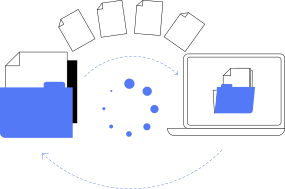
Conversions that keep the layout
Convert between PDF, Word, Excel, PowerPoint and images in a few clicks. Headings, tables, images and fonts are carried over as faithfully as the target format allows.
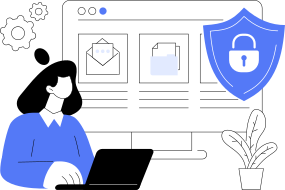
Files handled with care
Your files travel over an encrypted connection, and you can delete the files saved in your account whenever you want.
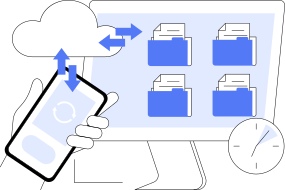
Every tool in one subscription
Convert, edit, sign, organise pages, compress, translate and convert audio: every tool is included, with no limit on the number of files.
Simple Pricing
0.50€ for 48H
then 39.90€/month
- Complete set of document conversion tools
- Unlimited processing and usage
- Advanced security and privacy protection
- 48-hour trial for just 0.50€
Try our service for 48 hours for just 0.50€. Then a 39.90€/month subscription for unlimited document processing if you continue.
Questions and answers
The questions we are asked most often. The help centre goes into more detail.
Can I translate a PDF for free?
Free translators handle short pasted text, but rarely a full document: layout, tables and images get lost, and size caps come fast. ShiftConv is a paid document service — 48 hours of full access for 0.50€, layout preserved, then 39.90€/month, which you can cancel at any time.
Which file formats can I use?
PDF, Word, Excel and PowerPoint documents, JPG and PNG images, and audio files such as MP3, WAV, M4A and FLAC. The supported formats page lists what each tool accepts and what it gives back.
What does the subscription give access to?
For 39.90€ per month, you can use every tool: conversion, editing, signature, page organisation, compression, translation and audio, with no limit on the number of files.
Can I try the service before subscribing?
Yes. A 48-hour trial costs 0.50€ and gives access to all the tools. If you do not cancel during the trial, the subscription continues at 39.90€ per month.
What happens to my documents?
They travel over an encrypted connection and are used for the operation you asked for. You can delete the files saved in your account whenever you want.
Where do I cancel my subscription?
From your account, or with the online cancellation form, which only asks for the e-mail address of your account. There is no fee, and you keep your access until the end of the period already paid for.
Are there limits on file size or on the number of files?
A file can weigh up to 30 MB. The number of files you can process is not limited.
Practical reading

Translating a document and keeping its layout
Copying a text into a translator loses the tables, the headings and the pictures. How to translate the document itself, what to prepare, and what to reread afterwards.
Read the articlePDF to Word without breaking the layout
Why a converted PDF sometimes comes back with shifted text and broken tables, and what to check before and after the conversion to get a Word file you can really edit.
Read the articleSending a presentation as a PDF
A PowerPoint file can look different on every computer. Why a PDF is the safe way to send slides, what gets lost on the way, and how to prepare the file.
Read the article